
Automation
Workflow Automation
Connect the tools you already use so information moves on its own and people only step in where judgement matters.
Interactive demo · illustrative data
See it working.
Click through it yourself. Nothing here is connected to a real account.
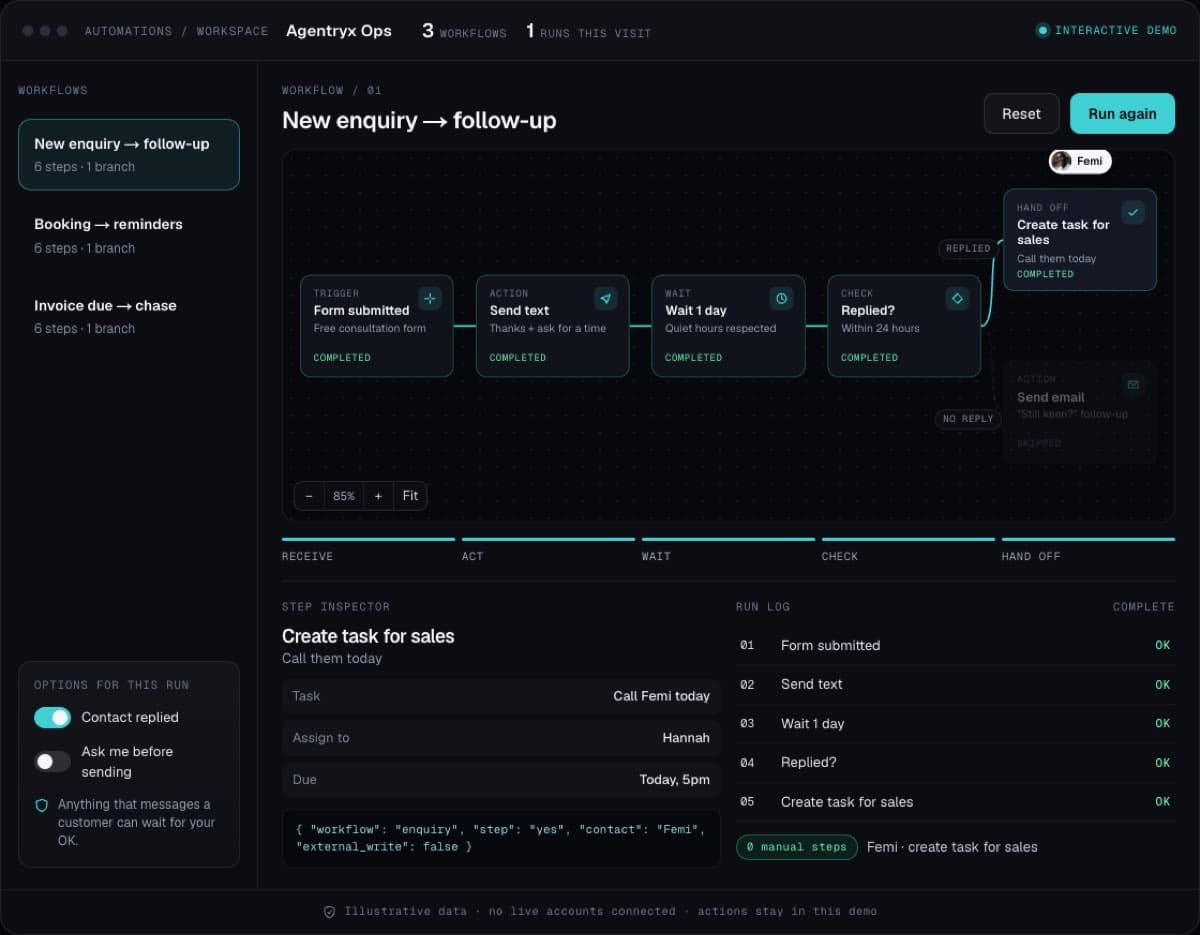
What you’ll do · about 30 seconds
- Press Run.
- Choose whether the customer replies.
- Turn on “Ask me first” and approve the send.
What this could be worth · example maths
15 hours a week of copy-paste and chasing taken off your team, at £25 an hour: ≈ £19,500 a year saved
The problem
Why businesses come to us.
Copying data between forms, spreadsheets and apps eats hours every week and creates errors nobody notices until a customer does.
What’s included
- Mapping of your current handoffs and bottlenecks
- Connected workflows between your existing tools
- Task creation and notifications for the right person
- Human review steps for exceptions
- Monitoring so failures are caught, not hidden
What changes
What it means for your team.
01
Routine admin happens without anyone chasing it
02
Handoffs between teams stop slipping
03
Your team spends time on work that needs a person
Works well with
Connect it to the rest of the system.
Before we start
Who this is for.
We would rather tell you now than halfway through a build.
A good fit
- Teams doing the same copy-paste and chasing every day
- Businesses that want the work done the same way every time
Not the right fit
- Processes that change every week and are not settled yet
- Tasks that need a person’s judgement on every single step
Which business processes should be automated first?
Start with work that is frequent, rule-based and currently copied by hand between tools: enquiry routing, data entry, task creation, reminders and status updates. We map your handoffs on the first call and rank them by time saved and risk.
What should not be automated?
Anything that needs judgement or carries real risk: money, legal commitments, complaints, regulated advice and messages sent in your name. Those keep a human review step, with the automation preparing the work for a person to approve.
What happens when an automation fails?
It is caught, not hidden. Every workflow is monitored, a failure alerts a named person, and the item waits in a queue to be handled by hand. We test with real cases and edge cases before launch.
Do we have to replace the tools we already use?
No. We keep what works and connect it. Tools are only replaced when they block the workflow or cost more than they return.
Guides
Before you build workflow automation.
Workflow automation: what to automate first
A simple scoring test for which tasks to automate and which to leave to people.
Read the guideCOMPARISONZapier vs custom automation: when to switch
How task pricing scales and the signs you have outgrown it.
Read the guideGUIDEThe sales-to-delivery handoff checklist
What should pass to delivery when a client signs, and what to automate.
Read the guideINDUSTRY GUIDEProperty deal packaging software
One deal record, a pack built from it, checked by a person and sent to matched investors.
Read the guideINDUSTRY GUIDEClinic no-show reminder automation
Why patients miss appointments and the six steps that reduce it.
Read the guidePRICINGWhat does workflow automation cost?
The build, the running costs and when a cheaper tool is enough.
Read the guideINDUSTRY GUIDEWorkflow automation in Manchester
Connect the tools you already use and stop copying between them.
Read the guideCOMPARISONNo-code tools or a custom build?
Where no-code is enough and the signs you have outgrown it.
Read the guideReady to talk about workflow automation?
Book a free call. Tell us where you are and what is getting in the way, and we will scope it before anything is built.