
Custom software
Internal Tools
Workspaces, dashboards and admin tools built around the way your team actually operates.
Interactive demo · illustrative data
See it working.
Click through it yourself. Nothing here is connected to a real account.
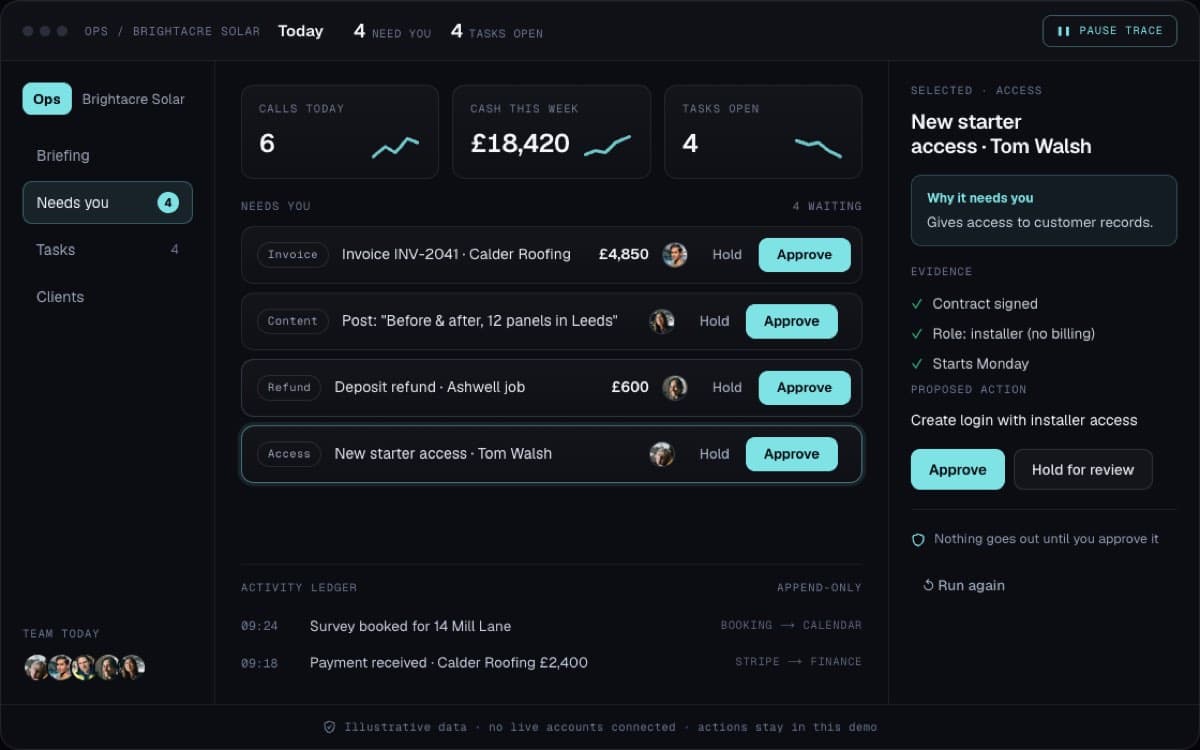
What you’ll do · about 30 seconds
- See what needs you today.
- Approve or hold each item.
- Watch the log fill in.
What this could be worth · example maths
5 people each getting 3 hours a week back from spreadsheets and chasing, at £30 an hour: ≈ £23,400 a year saved
The problem
Why businesses come to us.
Off-the-shelf tools force your process into their shape. The gaps get filled with spreadsheets, and the business knowledge lives in a few people’s heads.
What’s included
- Team workspaces for your core operations
- Role-based permissions and audit history
- Task, approval and exception queues
- Connections to your CRM, payments and data
- Documentation and handover to your team
What changes
What it means for your team.
01
One place to run the day-to-day operation
02
Clear ownership of every task and decision
03
Less reliance on spreadsheets and memory
Works well with
Connect it to the rest of the system.
Before we start
Who this is for.
We would rather tell you now than halfway through a build.
A good fit
- Teams running the business from a pile of spreadsheets and chats
- Owners who want approvals and tasks in one place
Not the right fit
- Problems an off-the-shelf tool already solves well
- Teams without someone who can own the process
When does a business need a custom internal tool?
When the real process lives in spreadsheets around a tool that does not fit, when key knowledge sits in a few people’s heads, or when the same data is typed into several systems. If an off-the-shelf tool fits your process as it is, use that instead.
Can an internal tool connect to our CRM and payments?
Yes. Internal tools are built on top of your existing data, so your CRM, payment provider and other systems stay the source and the tool gives your team one place to work from.
How do you control who can see and do what?
With role-based permissions and an audit history. Each role sees only what it needs, and every change records who made it and when.
Who owns the software?
You do. Everything is built in your own accounts, and you own the code and the data. Hosting and software costs are paid directly to the providers, and ongoing support from us is optional.
Guides
Before you build internal tools.
5 spreadsheets that should be software
And five that are fine as they are, with the warning signs that tell them apart.
Read the guideCOMPARISONCustom software vs SaaS: when building pays off
The three-year sum, a worked example and the costs people forget on both sides.
Read the guideGUIDEHow to write a brief for a software build
What to put in a brief so you get an accurate quote and a better build.
Read the guidePRICINGWhat does custom software cost in the UK?
What moves a build up or down the range, with a worked example.
Read the guideINDUSTRY GUIDECRM for property sourcing
Two pipelines, deals and investors, in one system with matching between them.
Read the guideINDUSTRY GUIDECustom software development in Manchester
Internal tools, web apps and portals, built in your own accounts.
Read the guideINDUSTRY GUIDEJob management software for construction companies
Buy it or build it, and how to stop variations going unbilled.
Read the guideCOMPARISONSoftware agency or in-house developer?
A fair comparison, including when hiring in-house is the right answer.
Read the guideReady to talk about internal tools?
Book a free call. Tell us where you are and what is getting in the way, and we will scope it before anything is built.